Image software for lunar scientists
Lunar rover imaging software that aids researchers to navigate and identify scientific discoveries on the Moon

CLIENT:
Astrobotic, NASA
SKILLS:
Wizard of Oz, Concept Testing, Product Design
DURATION:
5 months
TEAM:
1 Project Manager, 3 Designers
OVERVIEW
News flash — NASA is going back to the moon starting with CubeRover in 2021 to conduct small science missions. Once launched, CubeRover goes down in history as the smallest ever planetary rover.
How can we ensure that CubeRover safely navigates the lunar surface so that scientists can identify valuable information?
My role in this project was to help create part of the Tele-operations UI, called the Image Viewer. I needed to understand the goals of the Tele-operations team, the MVP features of the UI tools, and how they might work together.
CHALLENGE
Lunar surface navigation is hard - a wrong turn or a misalignment are hazards that can damage the rover and end the mission
CubeRover is only 2kg (4.4lbs). That's about the weight of two bottles of wine. That's why its small size is a huge challenge in surviving the moon's hostile environment.
SOLUTION
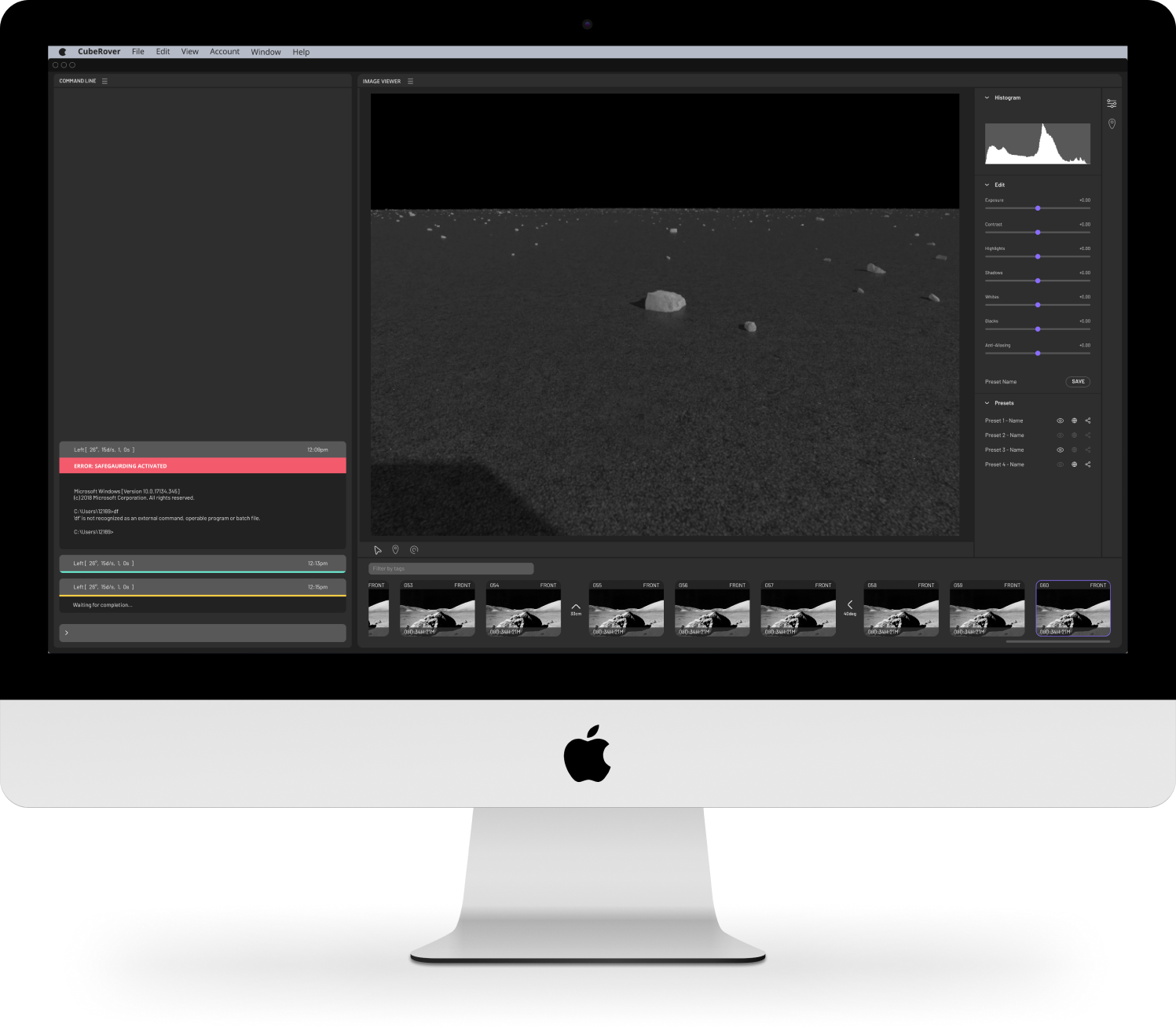
We created Image Viewer - a tool that helps teams identify markers and make better navigation decisions
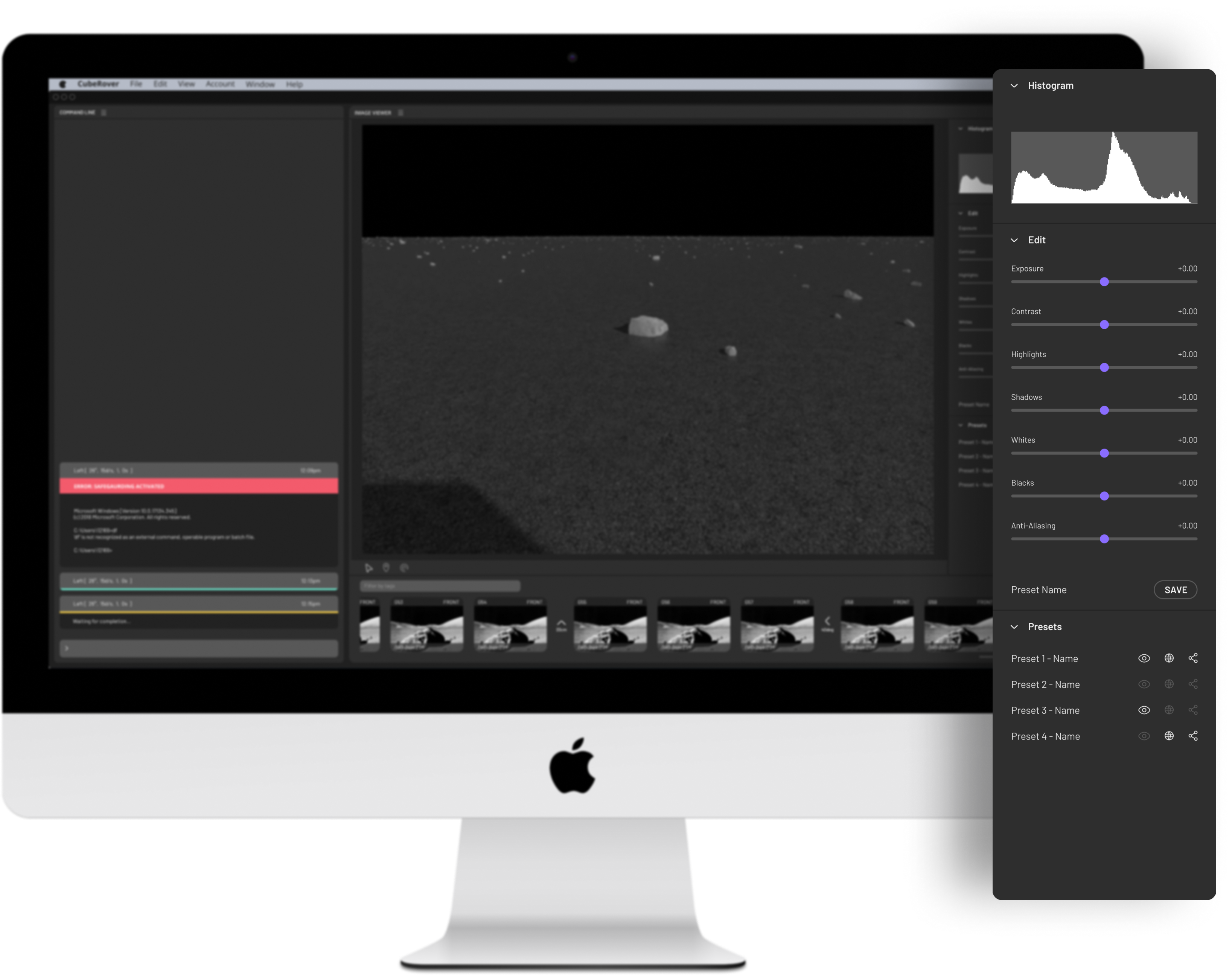
I helped create a photo editing tool that allows the Operations team to find the rover's location visually and spot out environmental markers that could jeopardize the mission. Photos come in through a sequence, which users can access at any point and edit thoroughly one by one.
FEATURES SUMMARY
Image Editing Capabilities
USER NEEDS
Images sent back are not guaranteed to be visible every time and users have different priorities when looking at photos.
OUR ANSWER
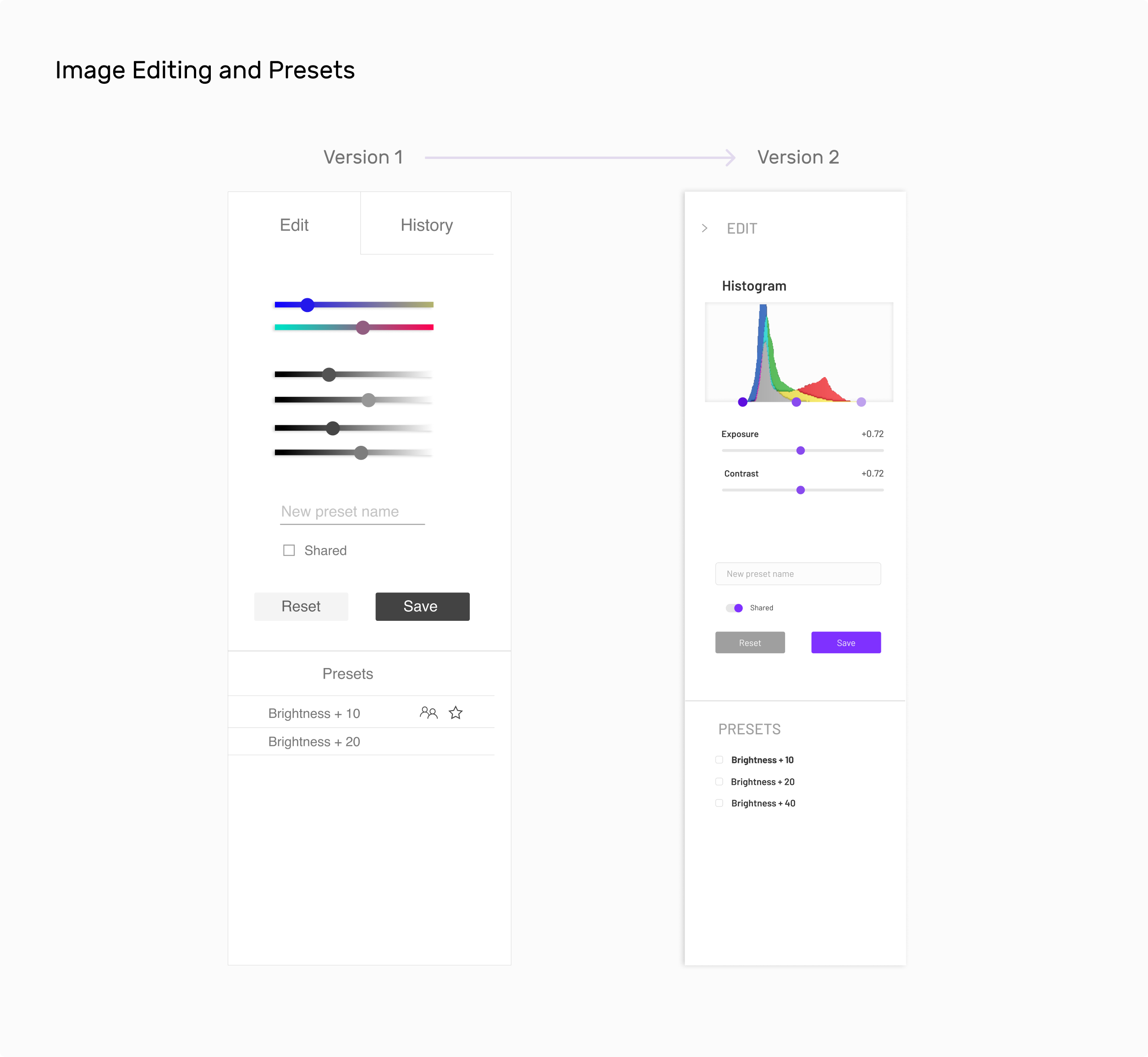
We included basic editing functions for users to create and save their different edits as presets. These presets can be used later by any member on the team and enables easy editing for users.
A Sequential Image Timeline
USER NEEDS
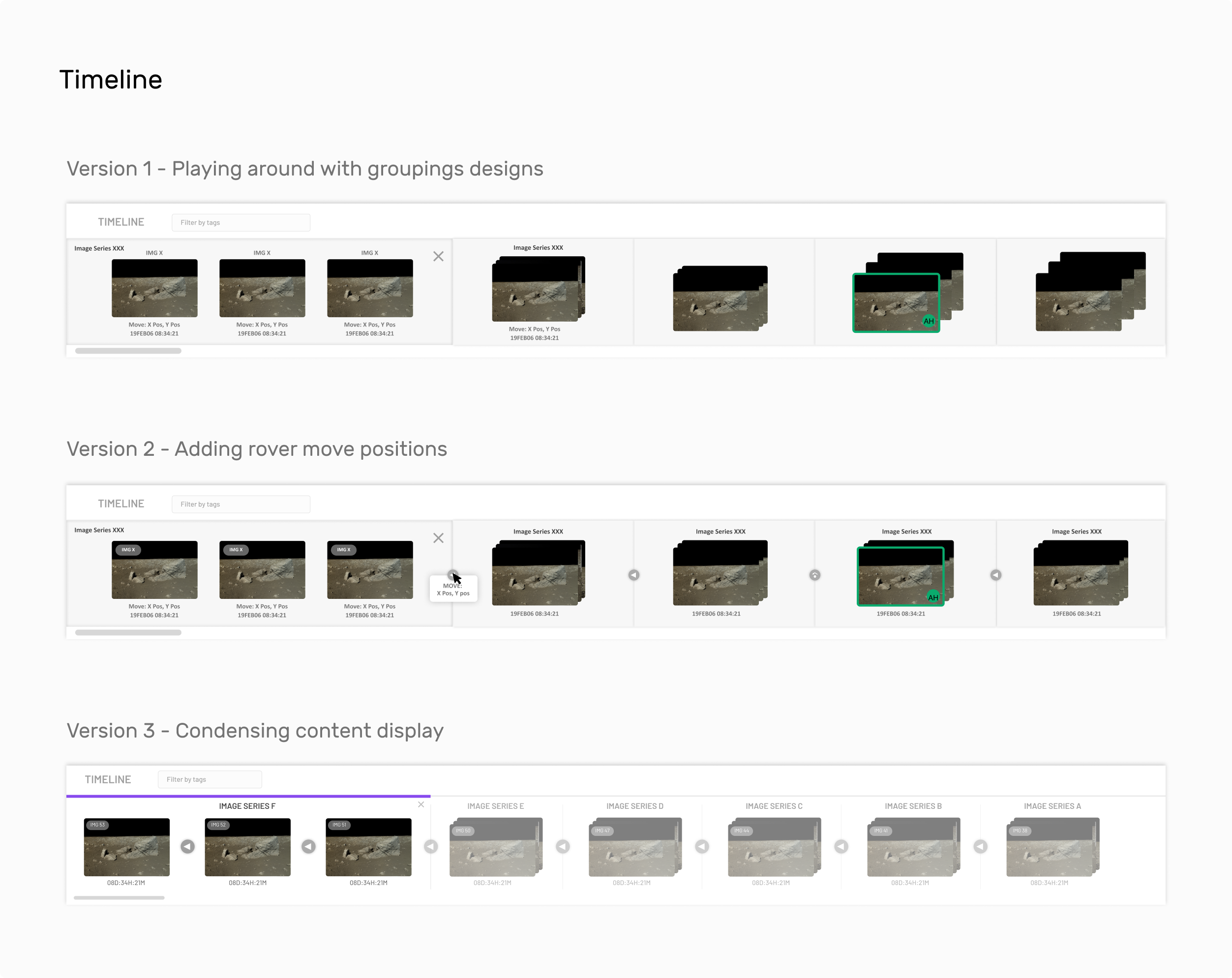
It is difficult for the user to distinguish multiple images that are taken at the same time.
OUR ANSWER
We grouped batches of incoming images by moves. Each move is a direction the rover has moved through inputs from the Command Line tool. These image groups are sorted by time and help the user identify which camera took each image.
Feature Marking
USER NEEDS
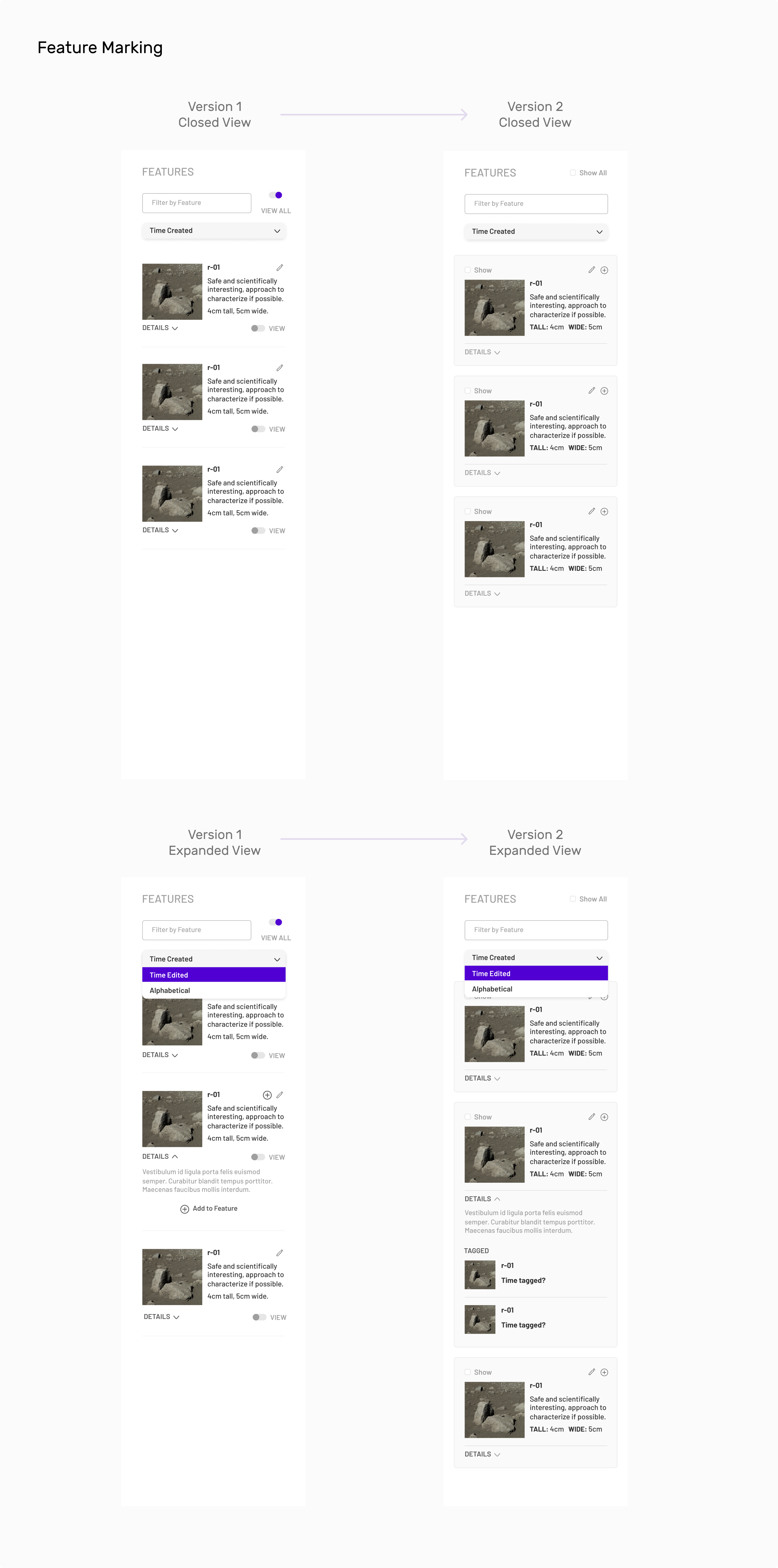
Instances of where a user spots a unique trait (like a rock for instance) are useful for the science aspect of the mission.
OUR ANSWER
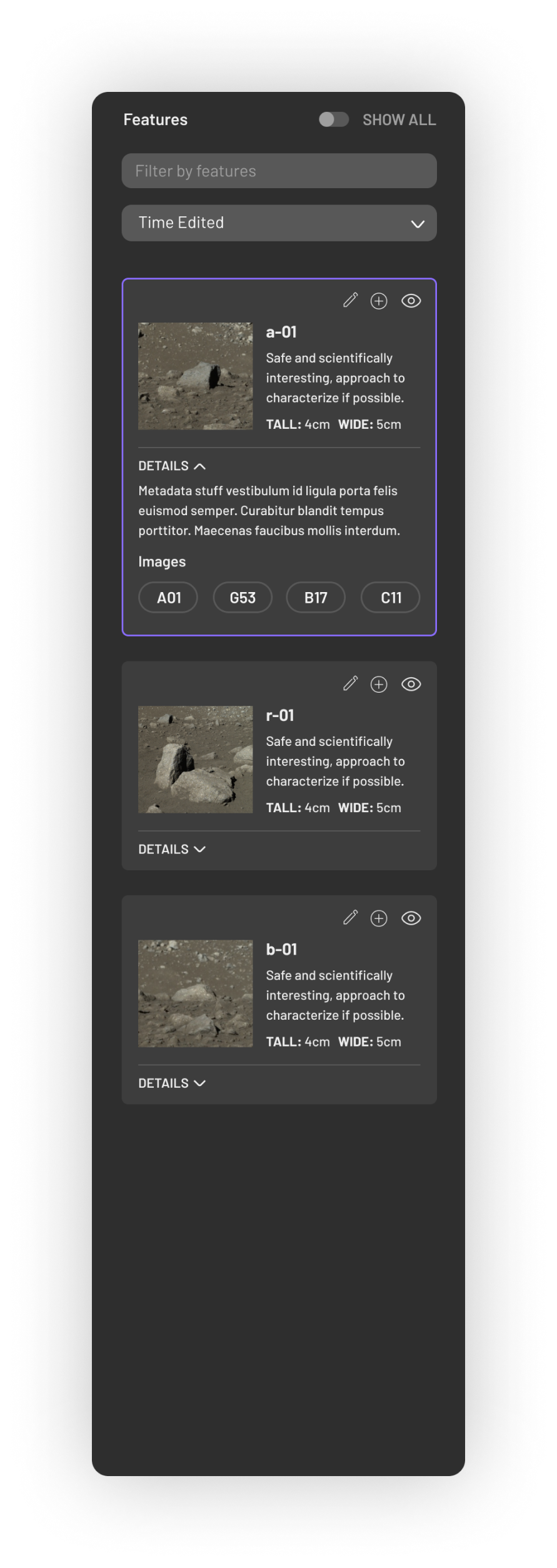
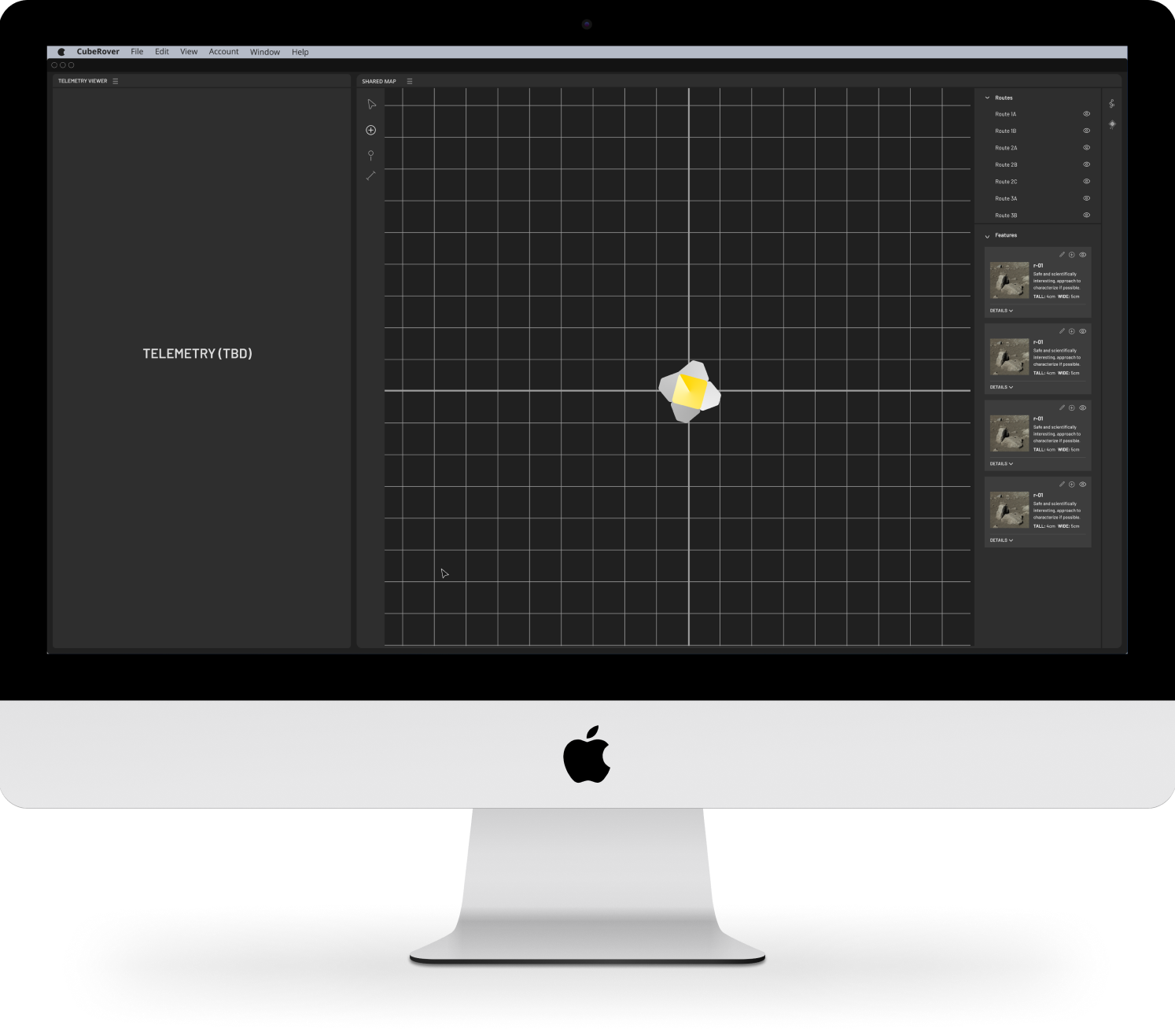
We created these function called "features" where users can mark different traits they observed on multiple images. It can be accessed and displayed on other tools like the Shared Map.
OUR PROCESS
So how did we design Image Viewer with rover constraints in mind?
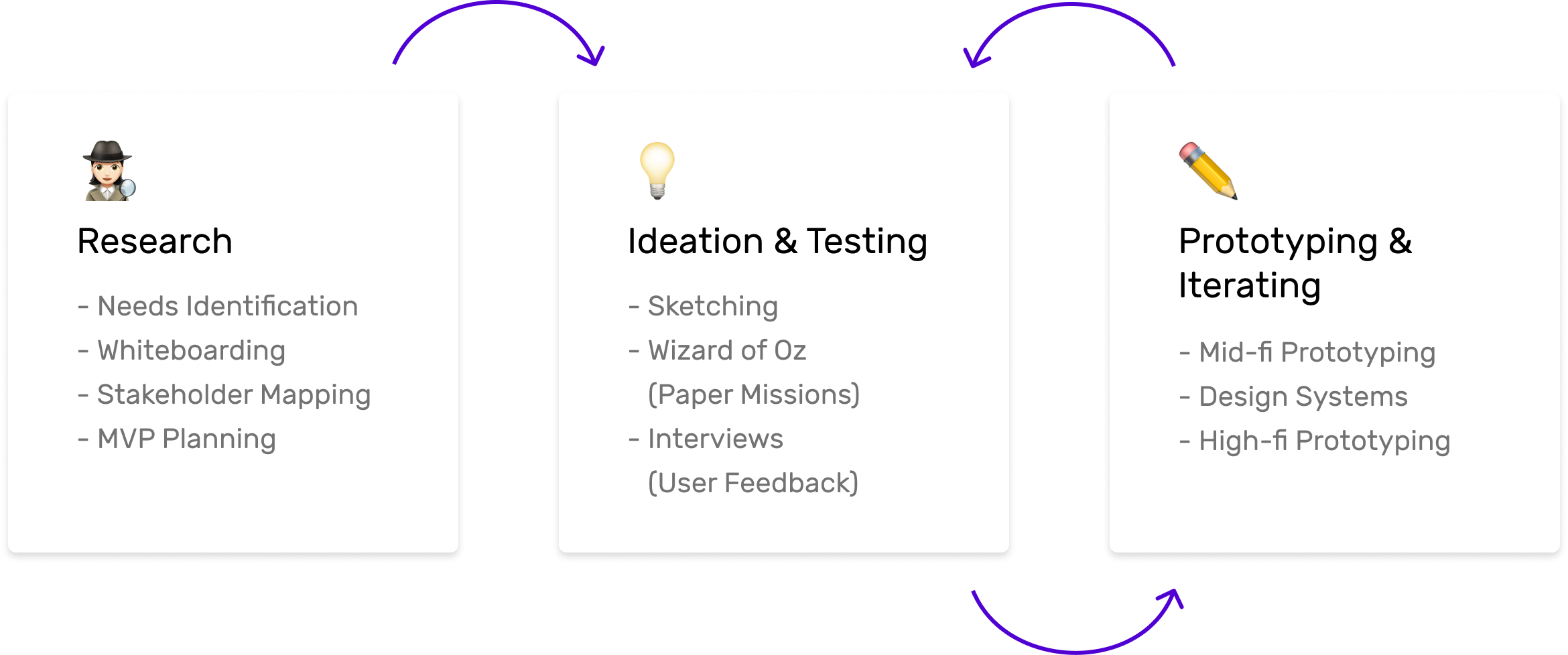
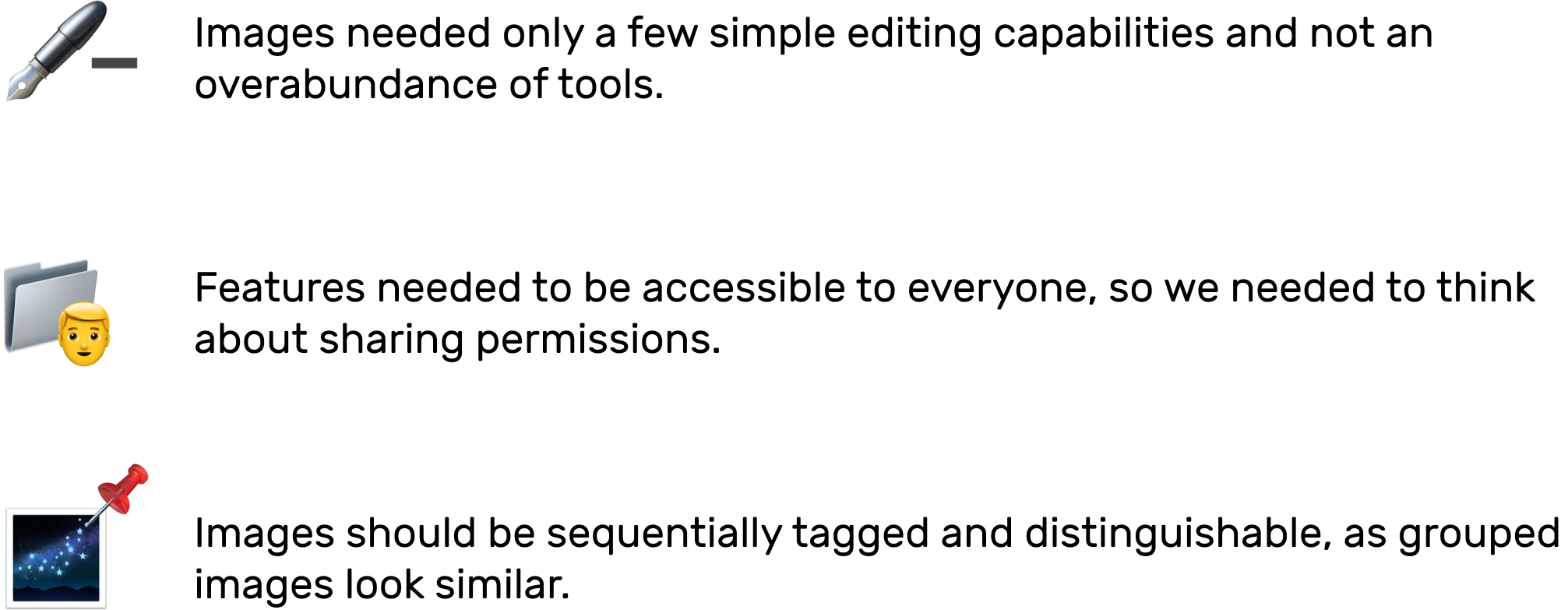
Our team had to get the basics down and rely on experts for feedback and advice. We developed and tested our concepts iteratively and filtered down to final prototypes.
MISSION SPECIFICS
Who are the stakeholders we care about?
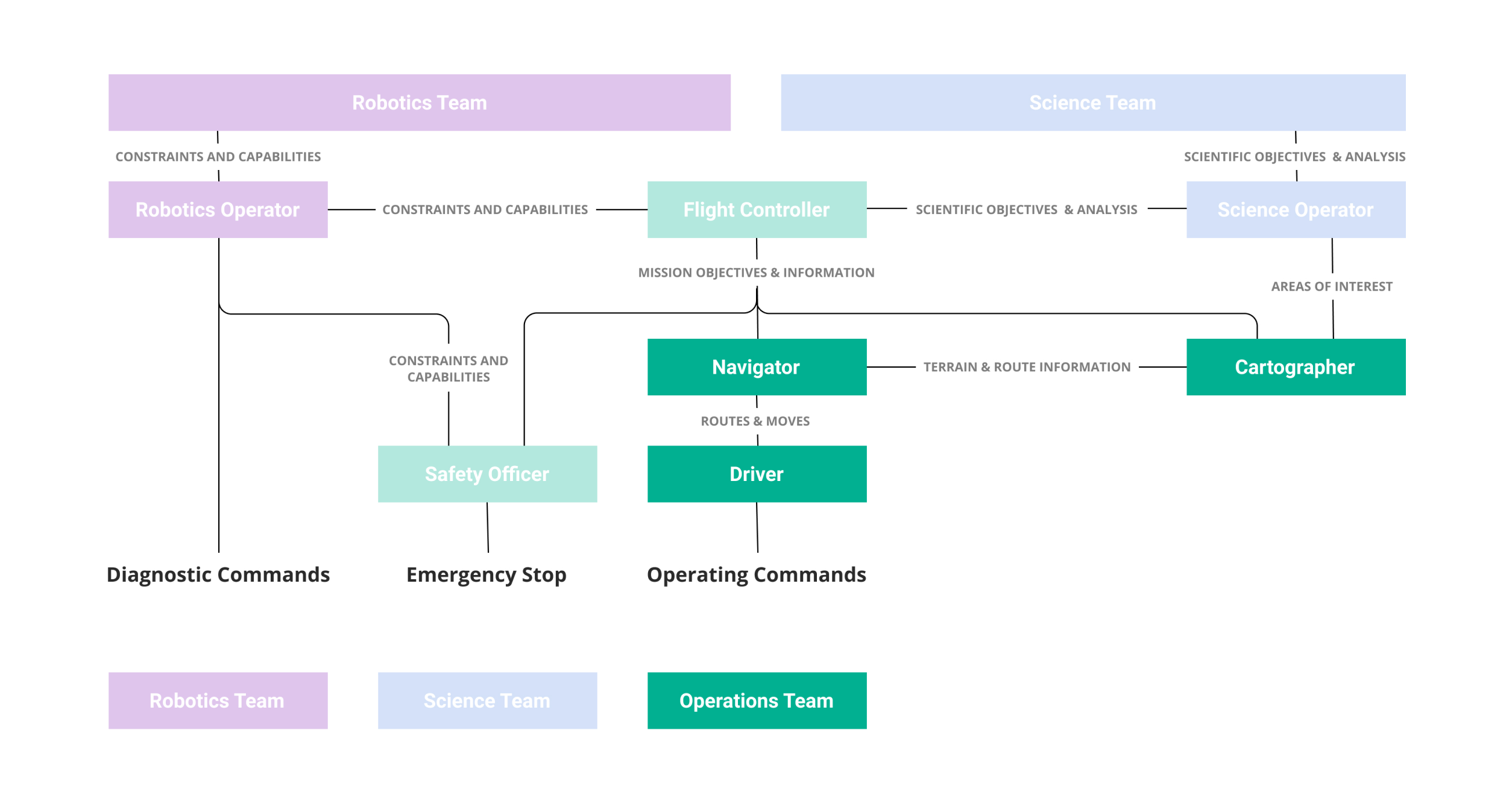
There was an overwhelming amount of teams for this project as it involves Astrobotic and NASA. Since my job was to build an Operations tool, I just focused on the figures I was designing for including the driver, navigator, and cartographer.
What is Tele-operations and why does it matter?
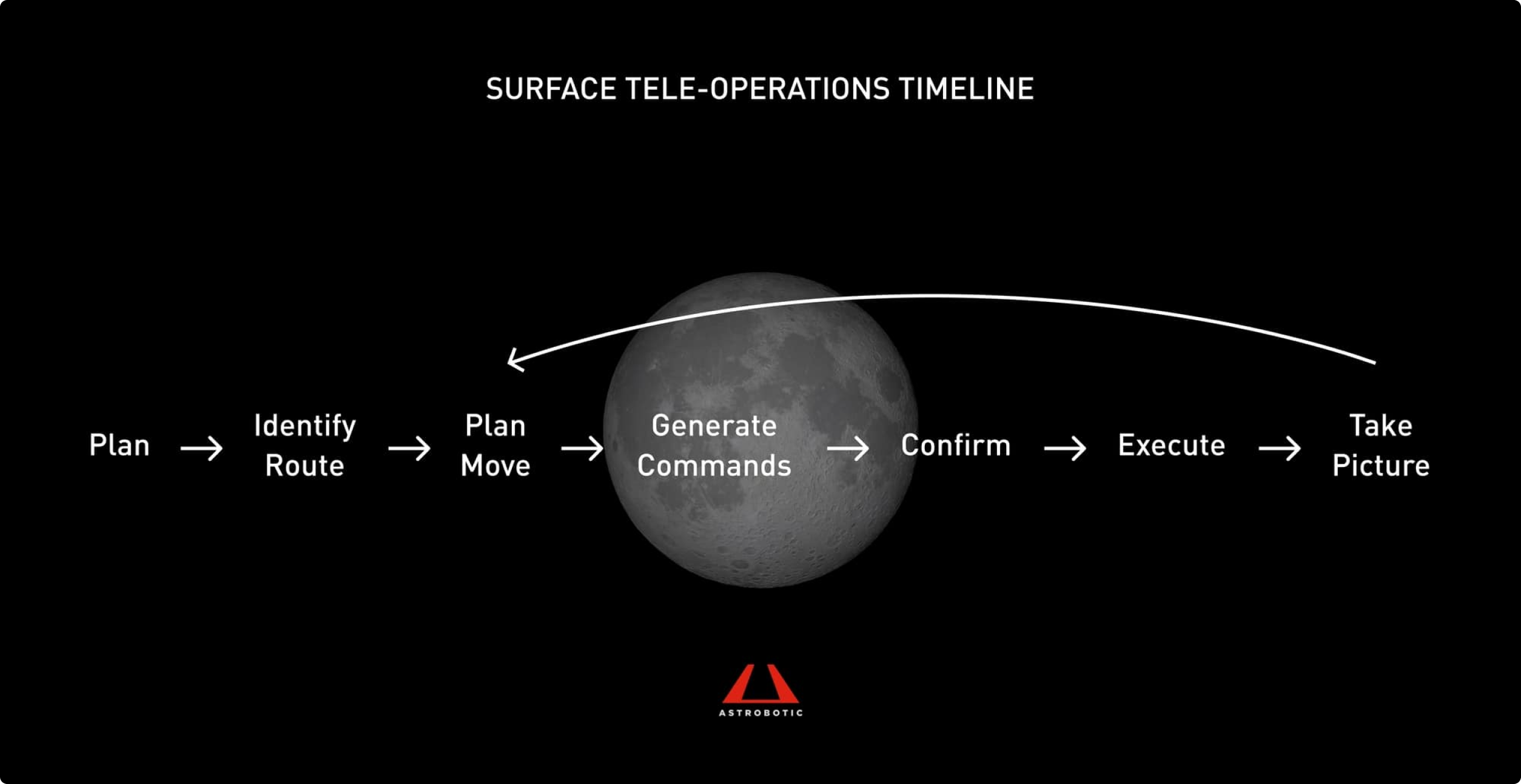
I also had to catch up on how the Tele-operations Team fit within the larger scope of the mission. The team not only controls the rover operations after landing on the moon, but also helps plan courses for discovery which is crucial to mission success.
How does Image Viewer fit into the picture?
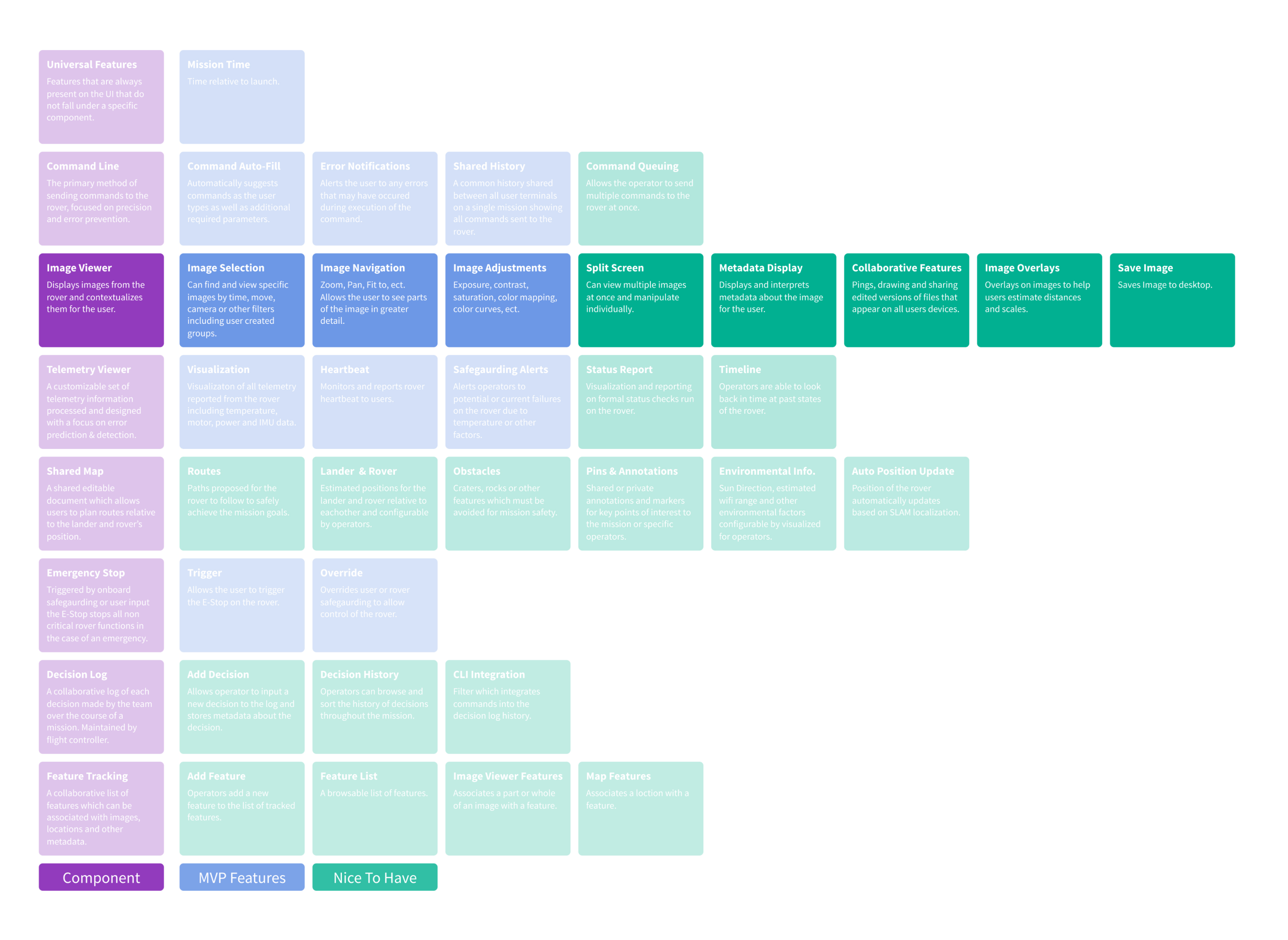
Image Viewer plays into the whole surface operations process, as it provides the only visual reference. It helps the navigators and drivers collaborate on planning routes and the cartographer cross-reference features that might show up on the Shared Map (another Tele-operations tool) to mark obstacles and location points.

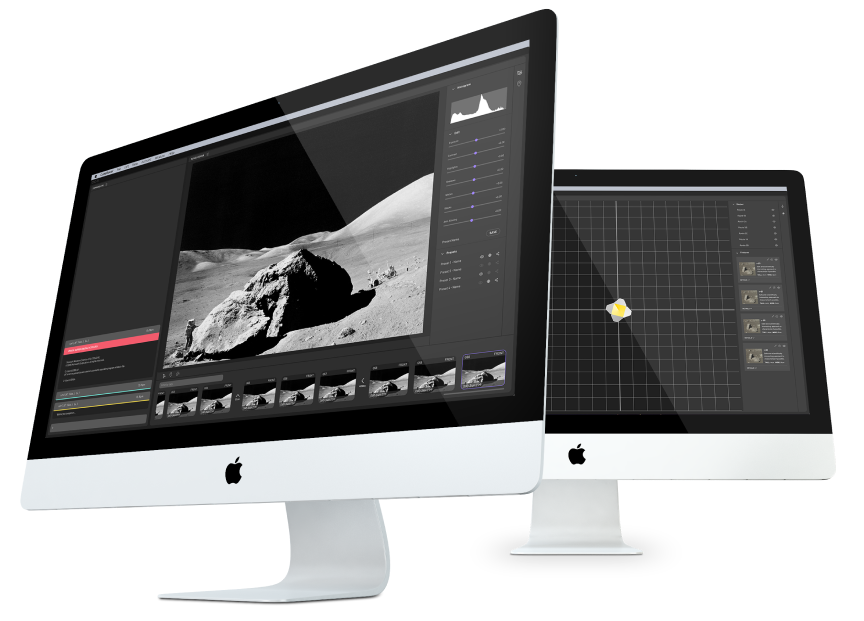
As seen below, Image Viewer is a more heavy-duty tool compared with the other Tele-operations tools.
IMAGE IMPORTANCE
What does an image need to tell us?
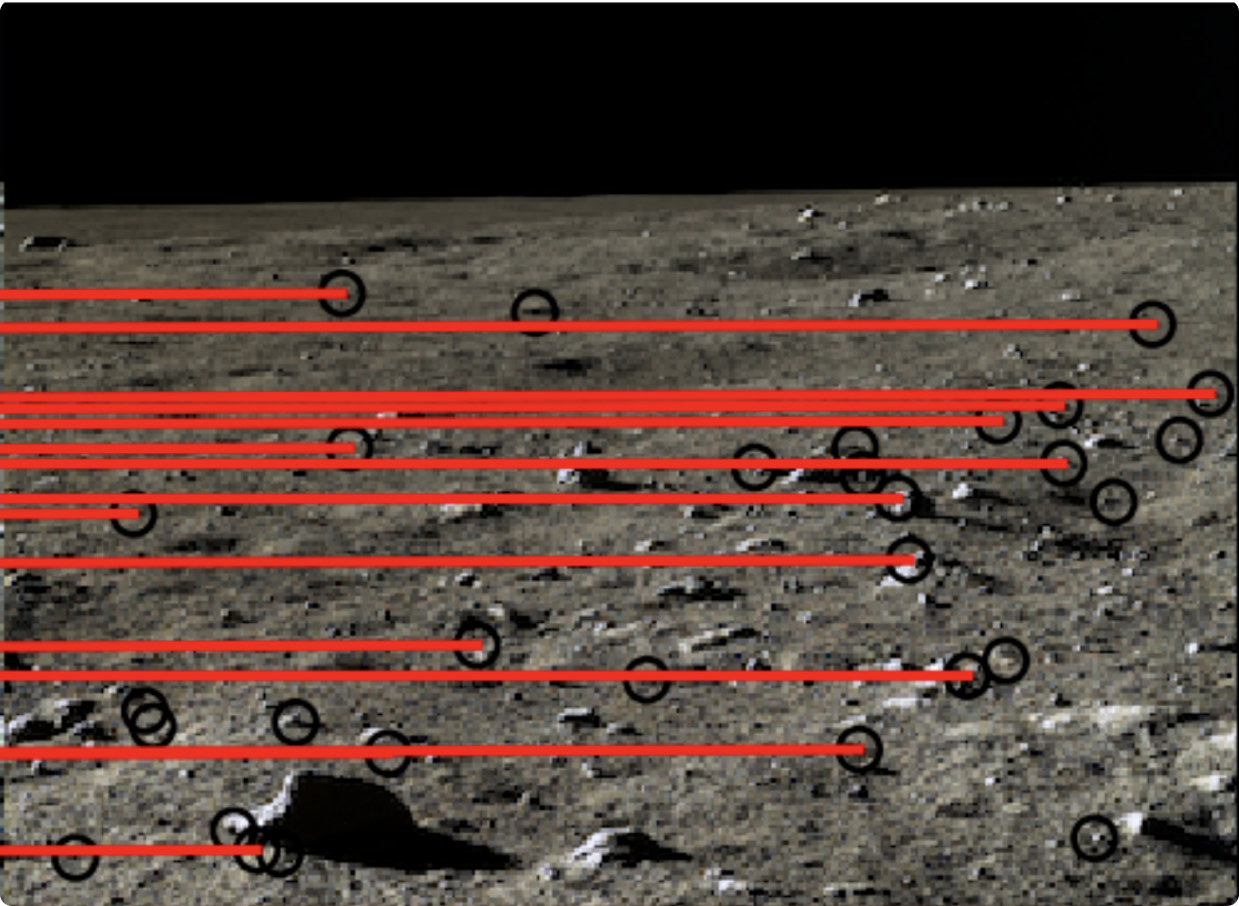
Images are the sole source of information and it needs to show users the lunar surroundings in an intelligent format. Instead of relying solely on the image itself, the navigator needs to compare the current photo with previous photos to find and identify the rover location and potential threats (like rocks that may damage the rover).
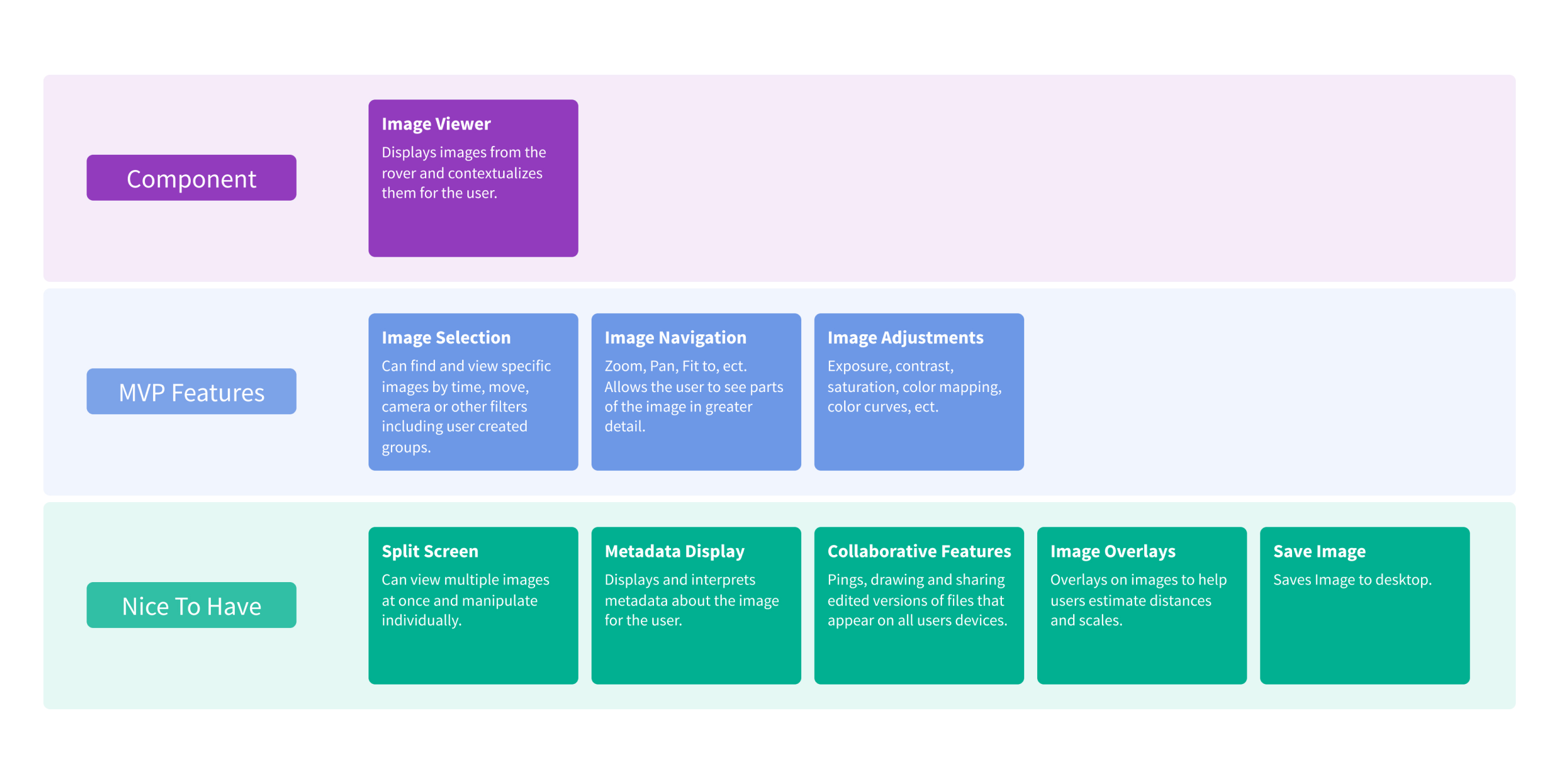
We needed to figure out how to build and test these primary MVP Features for version 1 of the Image Viewer.
We sketched out a preliminary feature requirement set and aimed to create at least one to two Nice To Haves as well.
IDEATION
We started with white boarding and live sketching sessions to brainstorm our ideas.
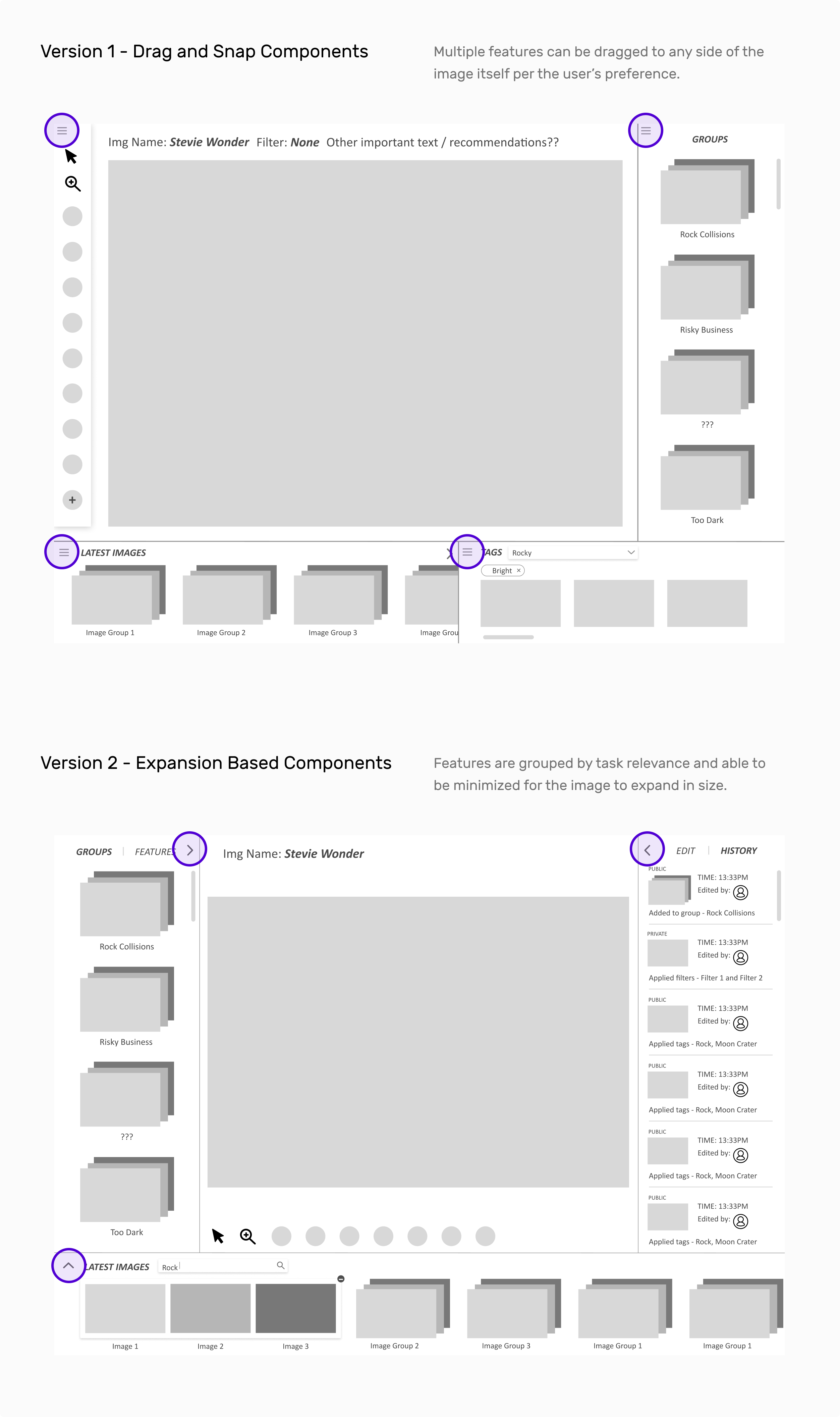
Our primary ideas included a toolbar on the left and some type of image previewer on the bottom. We also wanted to quickly play around with a split-screen view to see how a multi-image layout could work.
USER TESTING
How do we test our ideas without real users?
Because we could not easily access our user base to test our paper prototypes with, we created paper missions which were simulated missions. These included at least one representative from each team and used the Unreal Engine 3 and Blender to create the environment.
Ideas generated out of paper missions
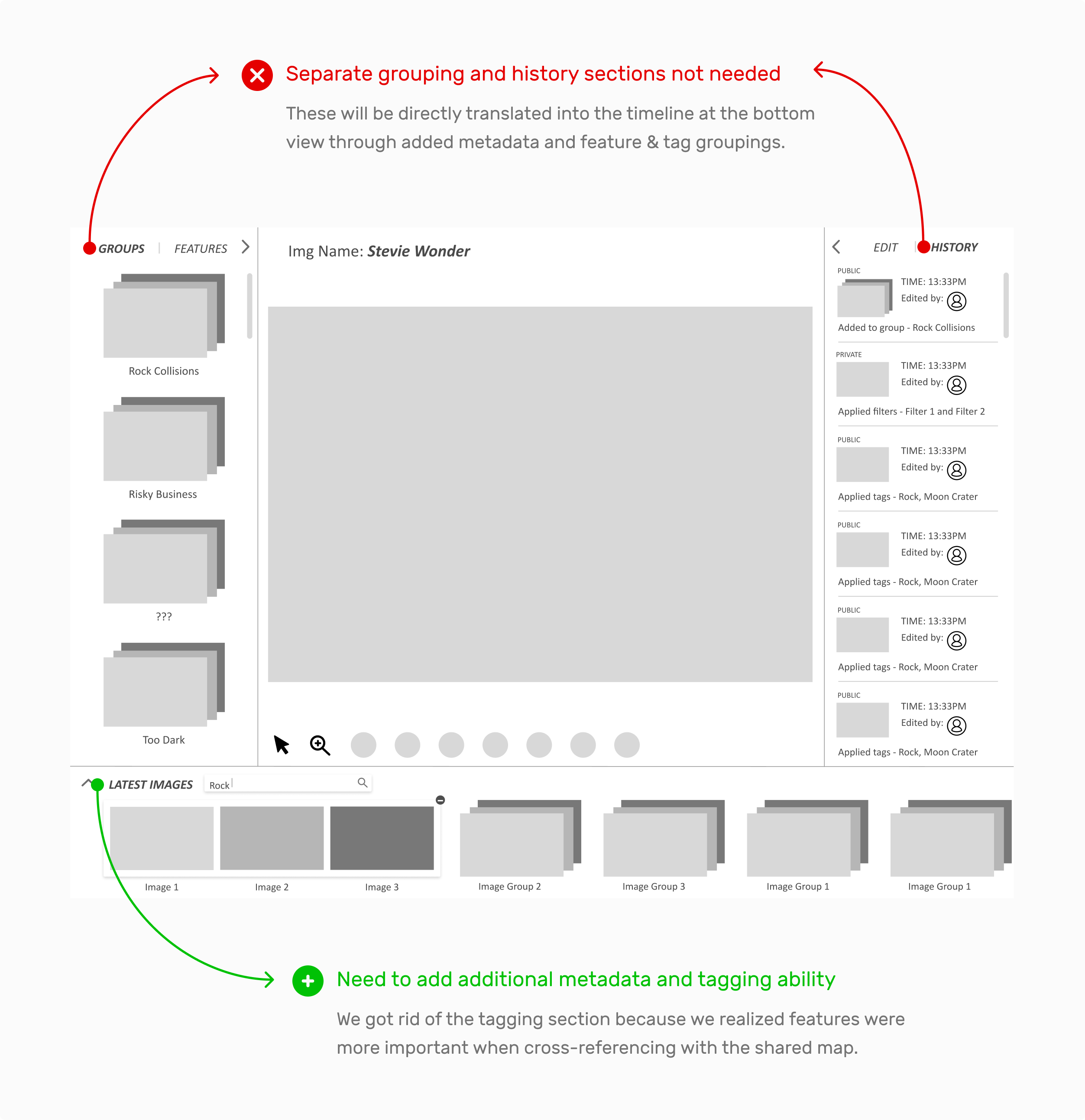
We learned that we forgot some details when sketching out the base layout for Image Viewer. Here are our main takeaways from testing.
PROTOTYPING
Taking it from paper to digital
To start, we made some low to mid-fidelity digital prototypes as we were playing around on where (on the screen) to integrate the MVP features.
Iterating with additional team feedback
We chose to move forward with the Expansion Based Components, as our other tools need to take up screen space as well on one monitor. Therefore, we did not want to confuse users with over-customizing through the drag and drop functionality.
Diving deep into component refinements
After we figured out how we wanted to create our layout, we built and refined the main key components for the MVP.
Transformation to dark mode
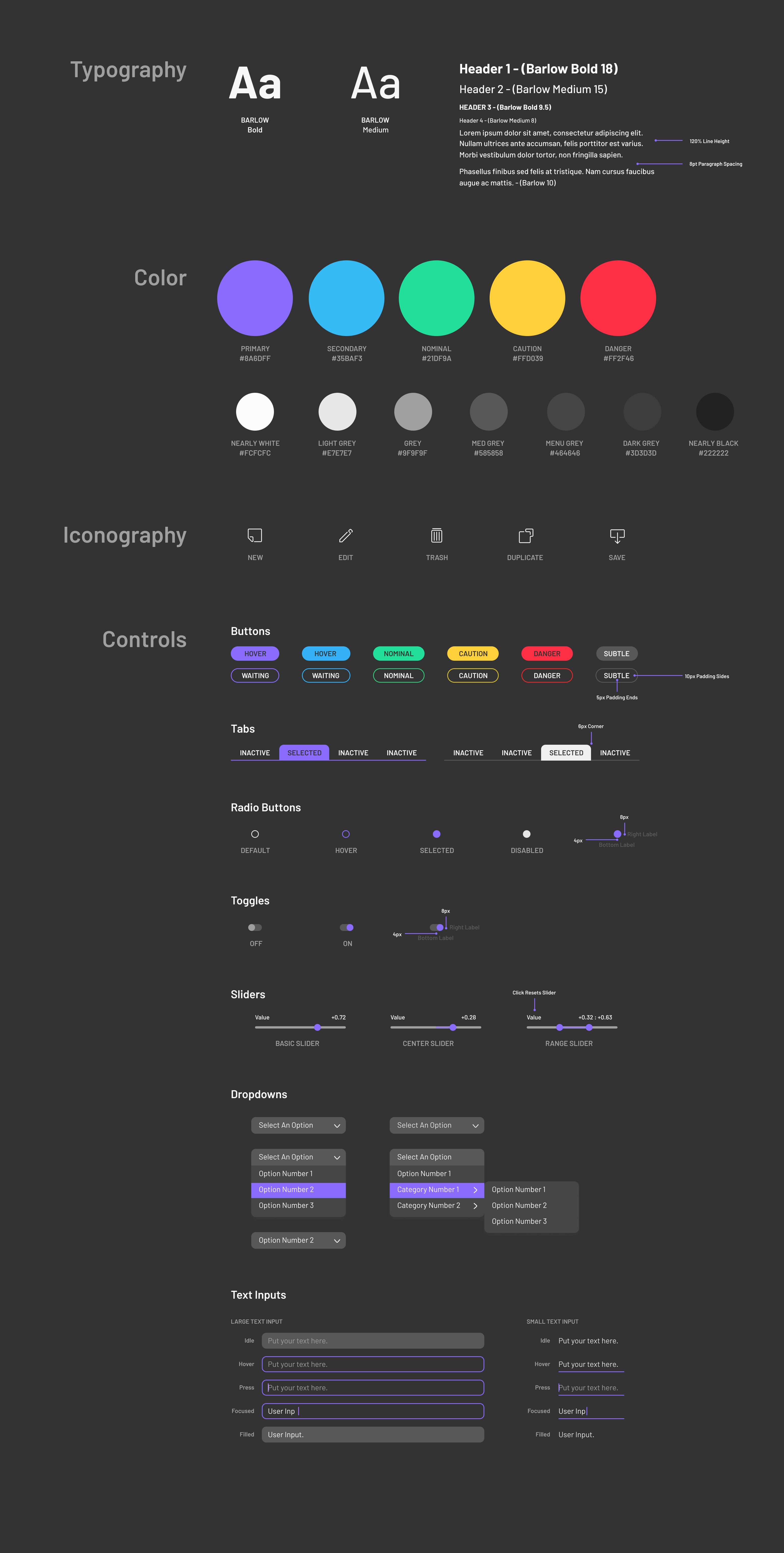
As we were fleshing out the final designs, we also created a design system in light and dark mode. Since CubeRover’s vision is to explore the Moon in space, we decided to stay on theme to design and launch our version 1 in dark mode.
FINAL DESIGNS
The Cosmos Design System
While creating our mid fidelity prototypes and iterations, we worked on making an adaptable design system with components that could be applied on all our UI tools.
Connecting the Tele-operations UI Ecosystem
The first version designs of Image Viewer consist of the Timeline, Features, Editing, and Tagging. There are also more minor tools in development such as the split view mode and searching by tags.
The future of CubeRover's UI tools
Since this is still an ongoing project, the next steps would be to add more Nice To Have features for Image Viewer. Additionally, the team will continue to develop a UI Pattern Library and other UI tools like Telemetry.
REFLECTIONS
Challenging, but rewarding
This project had a really tough onboarding process because of the large amount of information I had to consume. That’s why I found the user feedback sessions of paper missions to be super helpful in finding the right people to speak to about the features we were designing.

Overall, I’m so grateful I was able to contribute to CubeRover and can't wait to see when it launches. In the future, I’m hoping to work on more out of the box projects like this!
Thanks for reading!