User onboarding for enterprise DNS
Modernizing DNS technology with an accessible onboarding experience for all users

COMPANY:
NS1
SKILLS:
User Research, Concept Testing, Product Design
DURATION:
3 months
TEAM:
1 Technical PM, 1 Content Strategist, 2 Software Engineers, 1 Designer
Please note that certain images or content in this project have been blurred out due to NDA purposes
OVERVIEW
Millions of dollars are lost every minute a network is down. As a network administrator, your job is to ensure that this doesn’t happen. But you can’t do it without getting help from an advanced internet service called DDI.
How might we help nontechnical users onboard and use an advanced internet service without requiring hours of handholding?
For this project, I worked as the sole designer and a liaison with the sales and professional services team to envision what a digital onboarding experience would look like. I had to strategize the delivery of this product from an API solution to a digital one while managing expectations from various teams.
BACKGROUND
NS1 provides services for large corporations to manage their internet traffic safely, efficiently, and securely. DDI was a new service rolling out and it aimed to help businesses mitigate risk around internet downtimes.
CHALLENGE
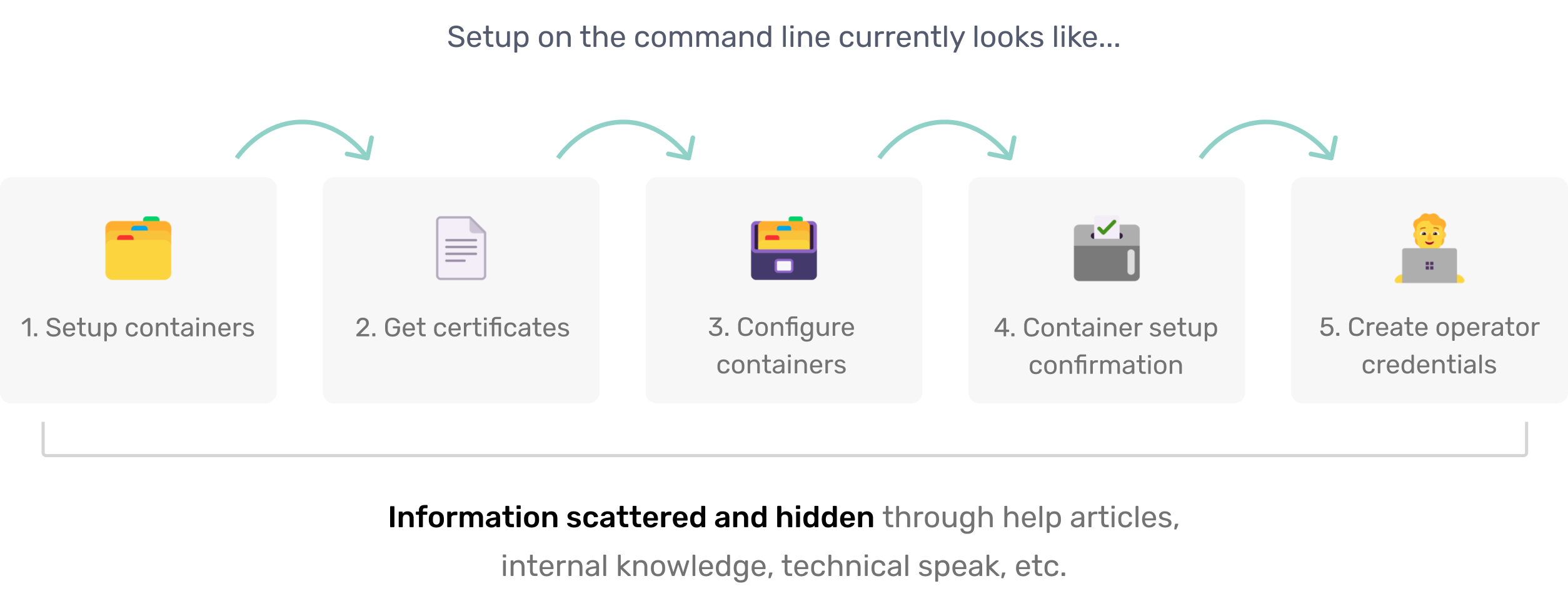
DDI is an advanced internet service that requires many hours to set up via a command line with technical know-how
Currently, DDI setup and usage are only offered through an API. This solution is not scalable for supporting smaller corporations that don’t have the resources to hire technical network engineers.
SOLUTION
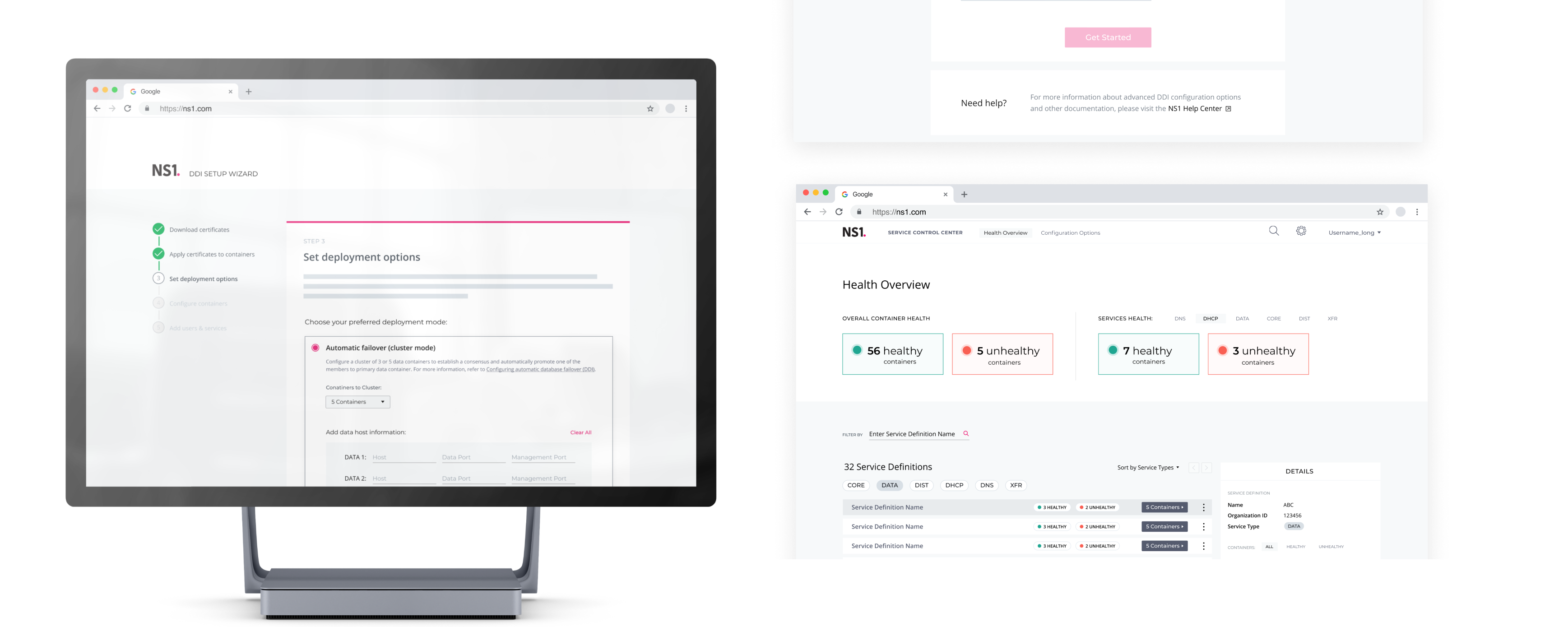
I created a 5 step onboarding wizard for nontechnical staff to setup the service more easily
The wizard distills complex technical information into an interactive multi-step process, while also allowing users to access detailed documentation every step of the way if they need it.

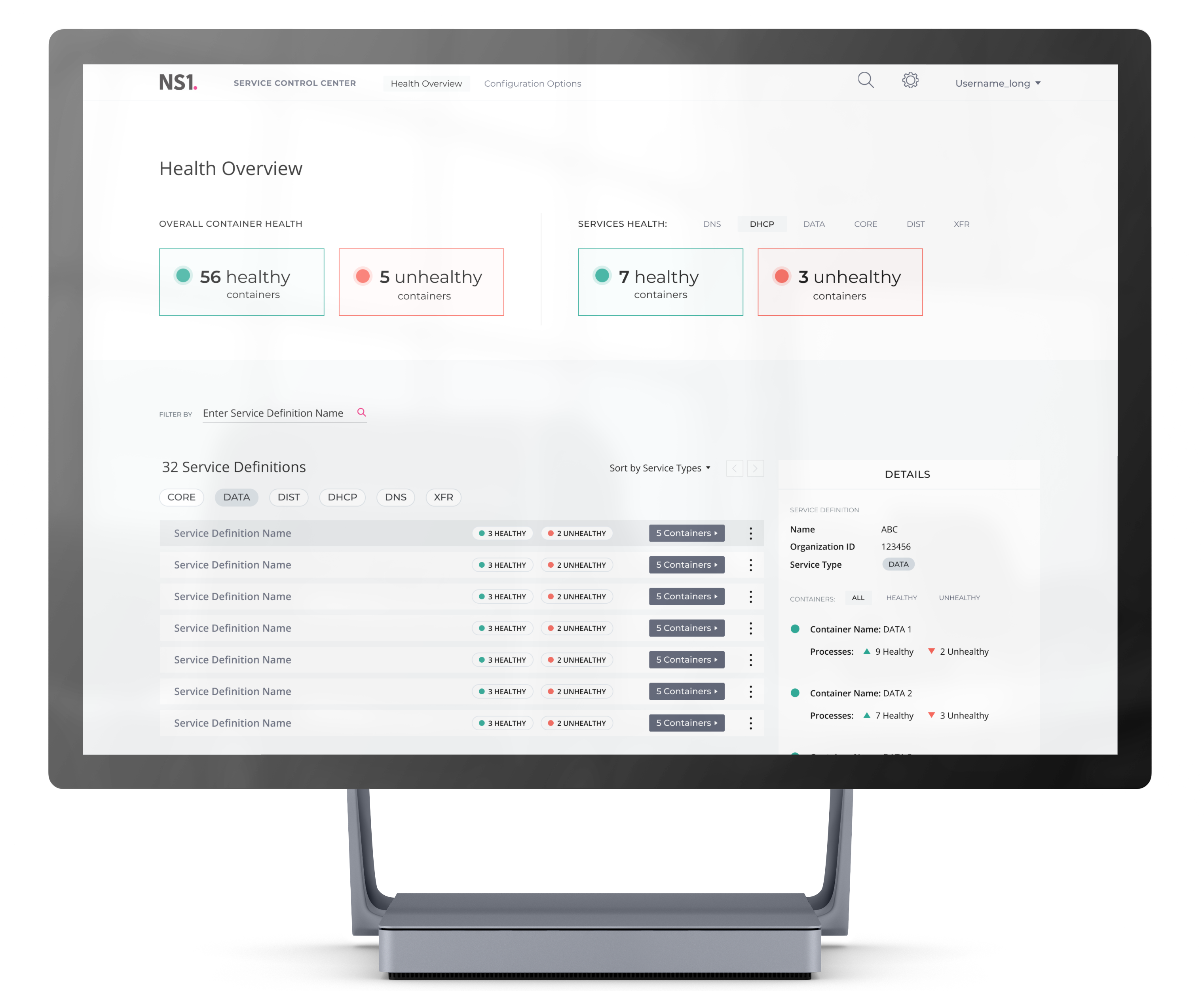
I also worked on conceptualizing what the dashboard for the DDI’s service center would look like after users successfully set it up as the next step for the team to work on.
FEATURES SUMMARY
Prerequisite Checklists
The first few steps include checklists for technical prerequisites to be completed before starting the setup process.
PURPOSE
Because the setup process uses third party tools, such as Docker, we cannot automate this process using the wizard only. Since we anticipate users will require the most help at the beginning, there’s a direct link to our help center to reach support as well as specific contextual links for each to do.
Technical Configuration Handling
The bulk of the wizard handles the complicated process for container configuration. This is essentially the key component in setting up the DDI service properly.
PURPOSE
Container configuration relies on multiple containers to be connected successfully which can result in a lot of manual error handling. We support displaying multiple containers in one view and provide the users immediate feedback to see which containers were connected successfully or not.
User Account Setup
The very last step helps the user set up their own login credentials to the service, as well as create additional accounts for any other networking staff.
PURPOSE
Smaller companies may only require one network administrator to work on internet maintenance, but larger companies have multiple people on call. In anticipating our customers’ needs, we allow for multi-account creation.
Future Service Control Center
Once the network administrators complete the wizard, they can access both the NS1 portal and also the Service Control Center — which we are working on building next.
PURPOSE
Because DDI consists of 3 different technologies, it can be hard to sift through every service. The Service Control Center is a place where network staff can monitor all their services from a dashboard in one go.
USER RESEARCH
Current state of affairs
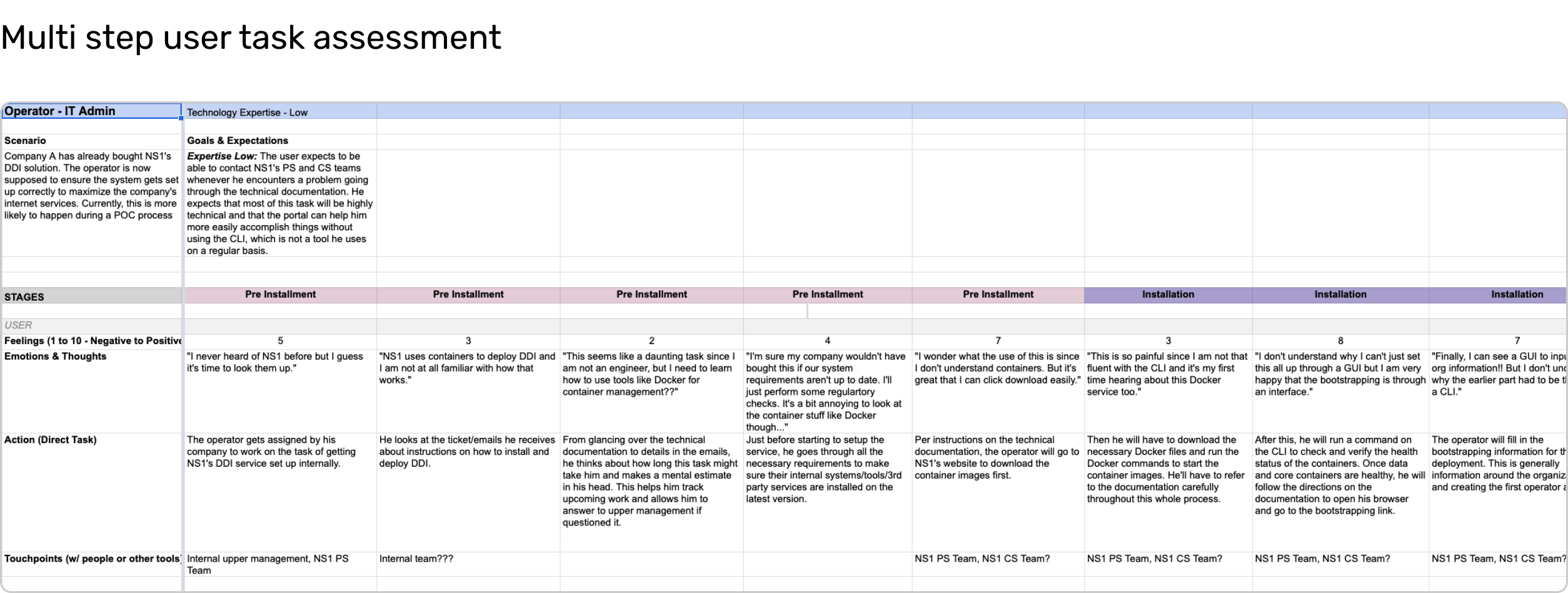
Starting this project meant getting familiar with some technical terminologies and workflows. I researched technical documentation, jumped on 1:1 walk-throughs of command line tasks, and conducted a listening tour with our internal stakeholders. From this, I was able to piece together how unintuitive the DDI service was to set up due to how fragmented the instructions were.
Defining our users and their values
Through research, I was able to identify that the users valued easy processes and quick resolutions to solve internet congestion. Although our DDI service would help ease their burden, it would mean nothing if users were deterred from setting it up properly. Therefore, it was crucial for us to reduce the setup times for IT administrators who were our primary nontechnical users.
How does Liquidnet wants to fit into the picture?
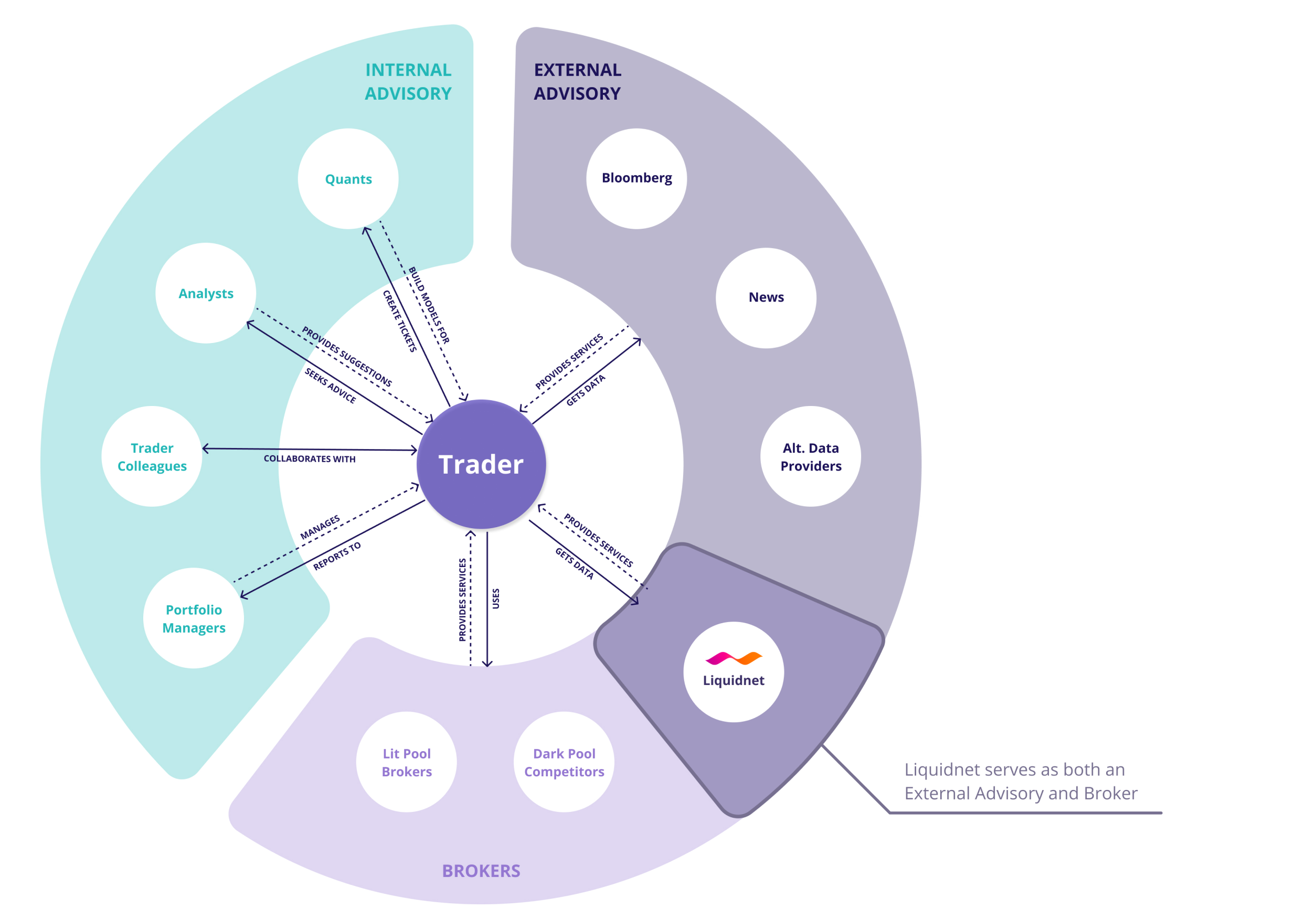
From previous findings, we created a stakeholder map to better visualize the trader's relationships with different departments. We saw that Liquidnet wanted to take part in becoming a sole source for the trader's external advisory and offer news and data resources as a smart platform.
SCOPING
Coming to terms with our limitations
After many task analyses, I realized that the nontechnical users could not forego all technical documentation. The setup process relies on external services such as Docker, so I suggested we focus our energy on the DDI setup experience for this version due to its complexity. After convincing the team that quality was more important than quantity, we pushed back building the DDI service center to V2.
How does Liquidnet wants to fit into the picture?
From previous findings, we created a stakeholder map to better visualize the trader's relationships with different departments. We saw that Liquidnet wanted to take part in becoming a sole source for the trader's external advisory and offer news and data resources as a smart platform.
IDEATION
Narrowing down into two paths
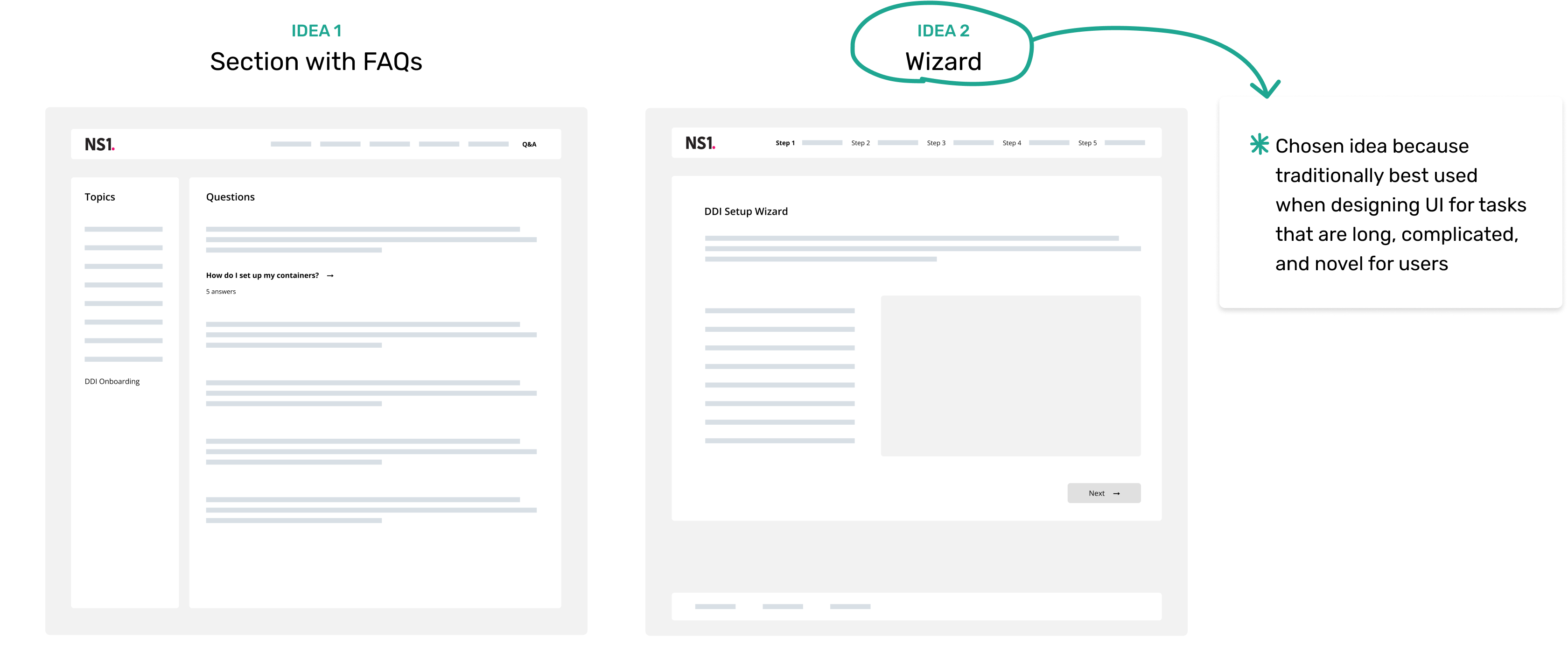
From the user journey, I brainstormed two pathways the team could take for a nontechnical DDI setup flow shown below.

1) A new section to our API & documentation site focused on each service with FAQs
2) A step by step wizard with supplemental documentation
To keep up with our goal around simplifying setup, I recommended the wizard approach. After MVP completion, we would also be able to scale more easily by adding or reducing the number of tasks or specific jobs.
CONCEPT TESTING
Getting feedback on the layout options through ideation
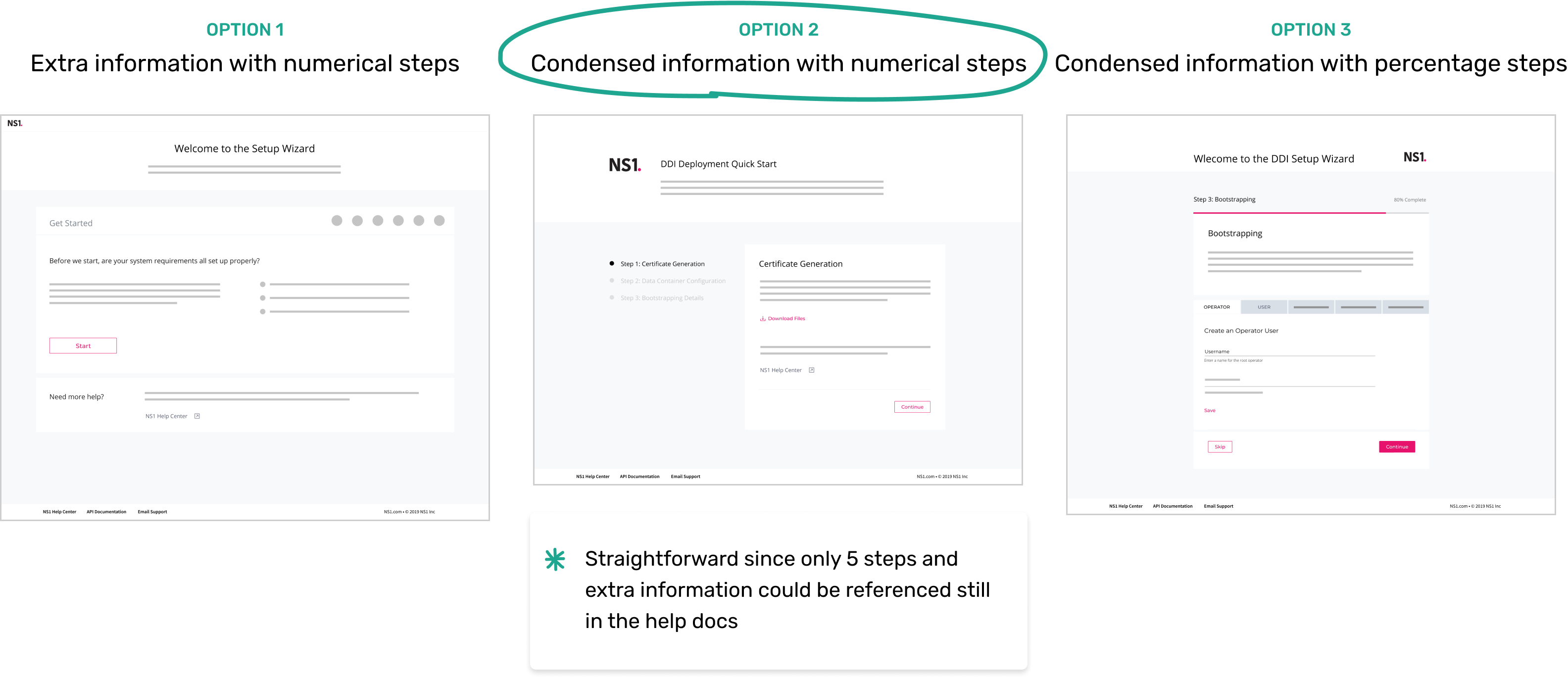
With the team in alignment on the wizard solution, I explored 3 options for materializing this experience and concept tested each design focusing on feasibility and desirability with internal stakeholders.
It was clear after testing that one option was a better fit than the other two when considering scalability and flexibility. Each solution had its pros and cons but ultimately option 2 was a better experience due to its content simplicity and progressive disclosure of the number of steps upfront.
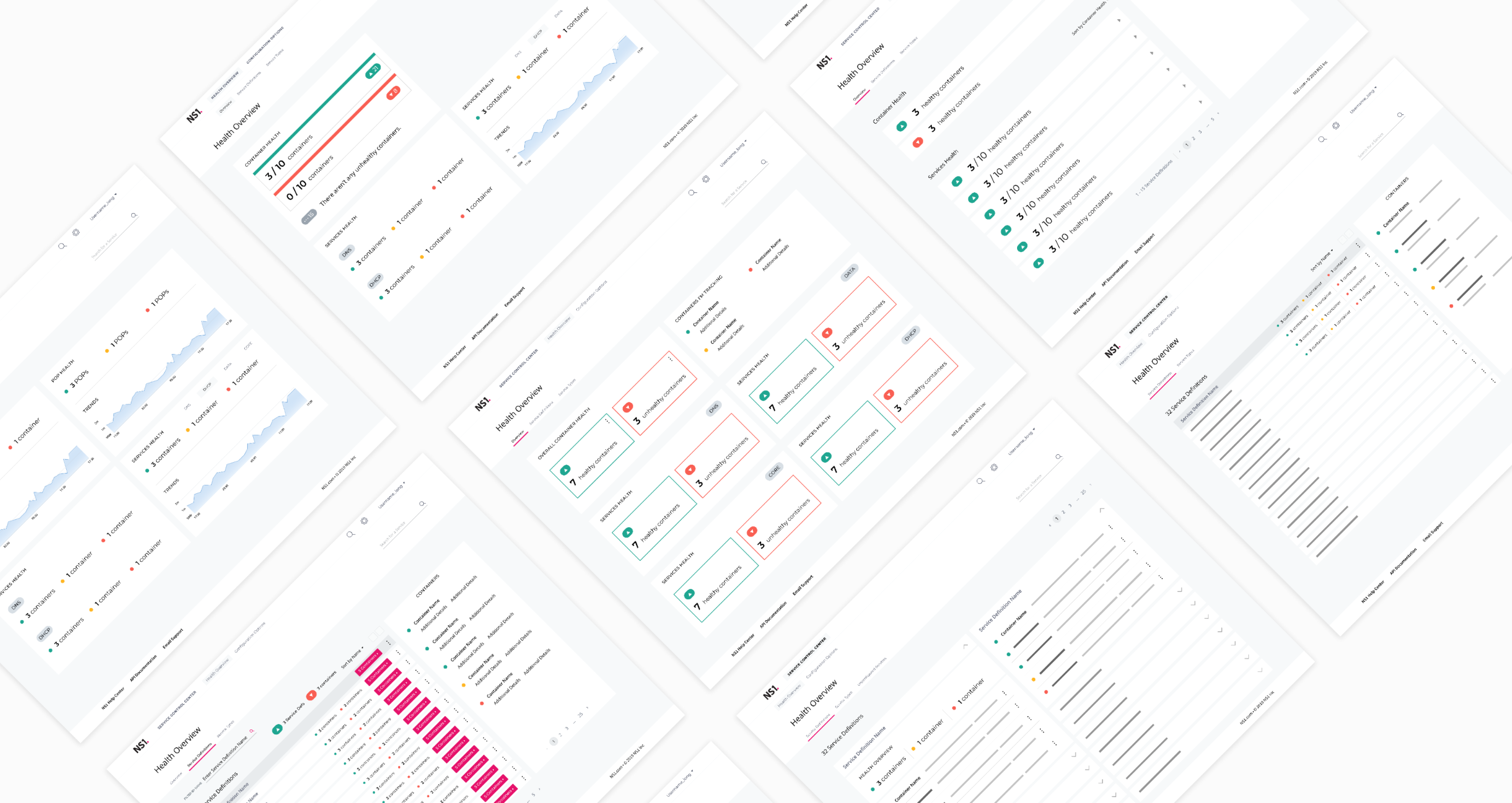
Service control center concepts for V2
In conjunction to iterating on the final designs for the wizard, I also had some time to think about how to approach the DDI’s control center. I played around with the visual hierarchy and how to map out the health of varying services.
Dogfooding for feedback and impressions
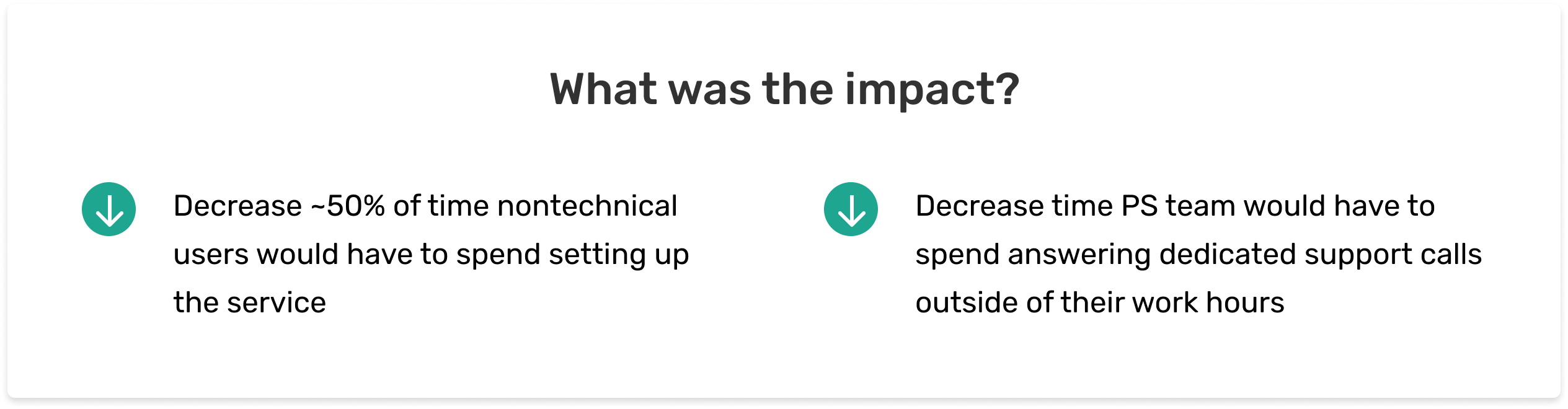
As DDI was still in a premature release phase, I went to our teams to dogfood the designs. What surprised me was that internal stakeholders advocated this feature for all network users, including technical staff. The professional services team, who acted as our support staff, gave a full stamp of approval because they did not want to work overtime anymore to support nontechnical customers.
FINAL DESIGNS
5 steps to better user onboarding for nontechnical users
Next steps
Although I was just getting started rethinking the DDI service for nontechnical users, the onboarding wizard received a lot of positive responses already. Next steps would be to beta test the wizard with a set of pre signed customers, where we would monitor adoption rates and assess task success rates to see where technical hiccups might occur. Furthermore, we would work on refining verbiage and interactions depending on additional user feedback.
REFLECTIONS
Trust in the UX process
The biggest challenge was believing in myself that I had the capability to take on an industry I had zero to limited knowledge about. I knew what DNS was, but never did I imagine that I would have to dive into the specifics of what drives it. I am glad that I was able to rely on UX methodologies to ground me into the problem and solution exploration.
Thanks for reading!